
Today, for better or worse, the internet shapes how our children learn, play, and connect with others. While the digital world offers incredible educational and entertainment opportunities, it also presents unique challenges that parents must navigate carefully. Understanding online safety is critical.
In our home, we navigate this on a daily basis, from researching what devices best meet our kids’ school requirements to discussing the apps their friends want them to use to simply managing how much time we all spend hunched over our screens. We talk about bullying in their classroom and bullying online, about safe websites, about how technology can be used for good and how it can be used for bad.
Although there are a lot of opinions about it, technology plays a growing role in early education. From online learning to interactive games, the internet is a vast landscape children navigate from a young age. This immersion fosters creativity but requires vigilant parental guidance. By combining open communication, appropriate tools, and digital literacy, families help their children navigate the online world with confidence and security.
Creating a safe digital environment at home starts with understanding risks and taking proactive steps to mitigate them. One effective way to manage screen time and ensure positive engagement is to create screen-free family moments. These intentional breaks reinforce family bonds and provide children with a balanced approach to their digital lives.
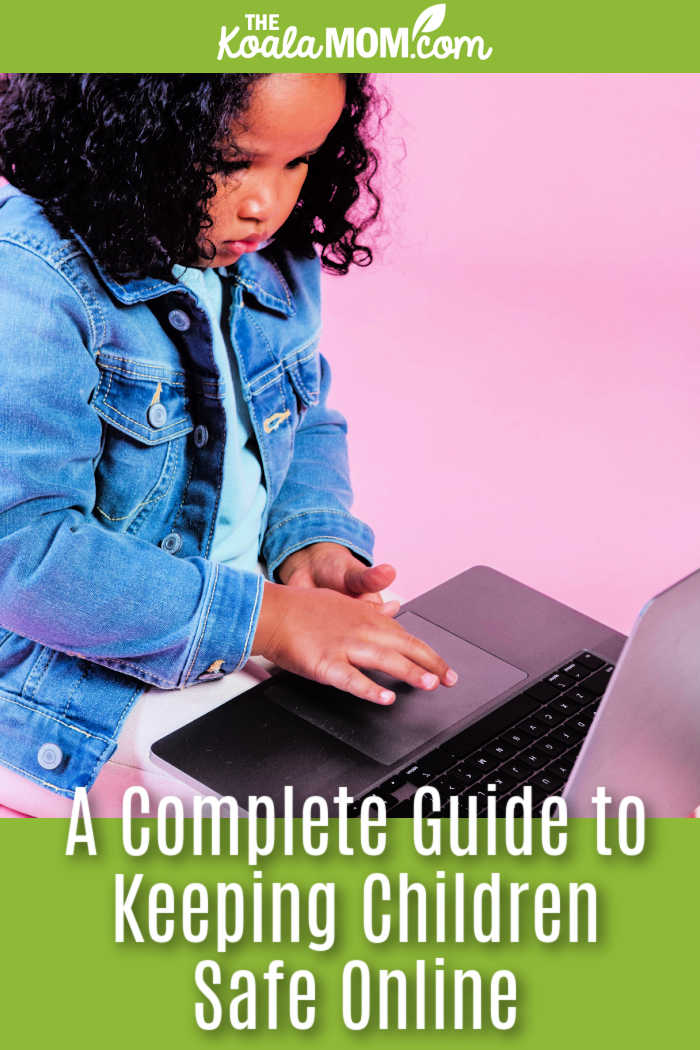
The Biggest Online Risks Children Face
The internet exposes children to significant risks. Understanding these threats is the first step in protecting them.
Inappropriate Content
Children easily stumble upon age-inappropriate content, including violence, explicit material, or disturbing imagery. Whether through accidental clicks or targeted algorithms, this content can be unsettling for young minds. Parents must filter harmful material. This starts with setting up parental controls on home internet routers and devices as well as checking in on what your kids are doing online.
Cyberbullying
Internet anonymity fuels cyberbullying. Children may experience harassment, teasing, or exclusion through social media, messaging apps, or gaming platforms. Unlike traditional bullying, cyberbullying follows children home, making it invasive.
Don’t expect that your child’s school has appropriate technology or procedures in place to deal with this either; whether your kids use a school device or their own device, you need to ensure that any group chats are a safe space for them to be.
Online Predators
The internet provides opportunities for malicious individuals to connect with children. Predators may pose as peers to build trust (a tactic known as grooming) before attempting to exploit a child. They use social media, gaming chat rooms, and forums to target vulnerable individuals. My kids know they are not allowed to use certain apps where this is more likely to happen and to use other apps only to connect with people they know in real life.
Scams and Phishing
Children may be tricked into clicking malicious links, downloading viruses, or providing personal information to what appears to be a legitimate source. Phishing attempts disguise themselves as game rewards or contest entries. Young users (and neurodiverse kids) often cannot distinguish genuine offers from fraud.
Privacy and Data Collection
Many apps and websites collect vast amounts of personal data, including location data, browsing habits, and contact information. Children unknowingly share sensitive information, risking their privacy.
Build a Foundation with Open Communication
Open communication between parents and children is the most effective defense against online dangers. When children feel comfortable discussing their online experiences, they seek help when encountering problems. We constantly talk about our devices and how we use them, whether the kids are asking for tech help or joining an AmongUs game with their friends. My partner and I openly discuss our own online habits, from using AI for work to making sure that we step away from the screen and stretch once in a while.
Encourage children to talk about their online activities regularly. Ask about their favorite games, the websites they visit, and the people they interact with online. For example, sometimes I just sit down with my teenager while she’s drawing on her Chromebook or with my son as he’s playing Minecraft. If they want to show me what they’re doing, great. If not, we just hang out side by side.
Teach them to recognize suspicious behavior. Explain the dangers of sharing too much personal information or keeping conversations secret. If an interaction feels uncomfortable or confusing, it is a red flag.
Explain why they must never share personal information online. This includes their full name, address, school, phone number, or identifiable photos. Once shared, this information is difficult to remove. My children have actually known about this from a very young age, because I use nicknames for them here on my blog and don’t share their faces online. We’ve had conversations about this and “Lily” has adopted that as her online name in places other than just my blog.
Create a family rule: they can always come to a trusted adult if something feels wrong. Assure them they will not be punished for reporting a concerning situation. My children know that trusted adults include myself as well as their teachers, therapists, grandparents, and a couple other family friends we see on a regular basis.
Create a Safe Digital Environment at Home
Establishing physical and digital boundaries creates a secure space for children to explore the internet.
Set screen time boundaries. Establish clear rules about when and how long children can use screens. This prevents excessive use and ensures time for physical play and family interaction. For example, I use parental controls to set timers on my son’s online activities. When he gets a time-up in Minecraft, I encourage him to bounce on the trampoline or play an offline game for a bit before he comes back to his Chromebook.
Keep devices in shared family spaces. When children use devices in common areas, parents can observe their activities and intervene if necessary. My 18-year-old now has a computer in her own room, but that’s come from her need to work in a quiet space and from knowing that we can trust her. Generally, all the kids hang out on the couch or dining room table while playing games, drawing, or writing on their devices.
Enable parental controls and safe search features. Most devices, operating systems, and browsers offer robust parental control options. Use these tools to block inappropriate websites, restrict access to certain apps, and set time limits. Sometimes this is a bit of a hassle, as I have to approve my 10-year-old’s access to any links that I send her, but a few seconds of time is worth knowing that she’s safe.
Most schools are now adopting internet filtering software to keep students digitally safe during the school day. These systems block access to harmful websites, inappropriate content, and dangerous downloads, providing a safer learning environment while students are online.
Parents should take similar steps at home to keep their children safe. This includes using age-appropriate filtering tools, setting up safe search modes on browsers, and having regular conversations about digital safety. They can also find apps that help manage your child’s device use to supplement these controls.
Regularly review the apps and websites your children use. Stay updated on the digital landscape by familiarizing yourself with the platforms your children enjoy.
Teach Children Good Digital Habits
Equipping children with practical digital skills ensures long-term online safety and independence.
Create Strong Passwords
Teach children to create strong, unique passwords for their accounts. Explain why they should not share these passwords with friends or write them down in obvious places. We have a couple designated safe places where we do write passwords down. While I still help my 8-year-old with his passwords, my girls can manage their own passwords now.
Think Before Clicking
Instill a habit of pausing before clicking links or downloading files. Teach them to evaluate the source of a link and to be wary of pop-ups promising unrealistic rewards, such as free gaming currency or exclusive content. For kids who cannot do this yet (like my son, who is young and also impulsive due to his ADHD), use other controls to prevent clicking without thinking.
Protect Personal Information
Reinforce the importance of privacy settings on social media and gaming platforms. Show them how to adjust settings so that only approved friends can view their profiles, posts, and personal information. It’s also a good idea to review this on a regular basis because apps sometimes update without notifying users.
Recognize Fake Messages and Scams
Help children identify common signs of phishing and scams. Teach them to look for spelling errors, urgent language, or requests for money or personal details.
Help Children Learn Safely Online
The internet is a powerful educational tool but requires guidance to ensure a safe and productive learning experience.
Choose reputable educational websites. Encourage the use of well-known, trusted platforms designed specifically for children’s learning.
Review new learning platforms together. Before allowing a child to join a new educational app or website, explore it with them. As more families supplement classroom learning with online tutoring, it’s crucial to choose trusted platforms that prioritize student privacy and secure communication. Parents should review safety features and check in regularly.
Teach children to identify trustworthy sources. In an era of misinformation, critical thinking is essential. Show them how to cross-reference information and evaluate source reliability.
Encourage them to ask questions if something online seems confusing or suspicious. If they encounter something they do not understand or that seems out of place, they should feel empowered to ask for help.
Social Media Safety Tips for Kids and Teens
As children grow older, their interaction with social media increases, bringing new challenges and responsibilities.
Adjust privacy settings. Walk through the privacy settings of each social media platform with your child. Ensure profiles are set to private and that children do not share photos of their home or other identifying information. For teens, this includes not share details like their new driver’s license or new car’s license plate.
Think before posting. Teach the “THINK” acronym before they hit publish: Is it True? Helpful? Inspiring? Necessary? Kind? Remind them that posted content can be screenshotted and shared.
Be cautious when accepting friend requests. Instruct children to only connect with people they know in real life. Explain the risks of adding strangers, even if they seem friendly or share common interests.
Know how to block and report inappropriate users. Ensure your child knows how to use the block and report features on every platform they use.
Warning Signs Your Child May Need Help
While open communication is key, parents must also be observant for behavioral changes that may indicate an online problem, including:
- Sudden secrecy around devices. If a child hides their screen or becomes overly protective of their phone, they may be facing harassment.
- Emotional changes after being online. Pay attention to your child’s mood after they have been on a device. If they appear upset or withdrawn after internet use, it could indicate cyberbullying.
- Withdrawal from family or friends. A lack of interest in offline activities may suggest a child is overly consumed by the online world.
- Unexplained anxiety or declining school performance. Online stressors can lead to anxiety, sleep disturbances, or declining grades.
Online Safety Tips by Age Group
As children develop, their online capabilities and risks evolve, requiring tailored safety strategies that grow with them. These ages are general; kids who are neurodiverse may need extra support for longer than their peers.
Ages 5–8
Focus on guided exploration. Use devices together, stick to curated apps, and enforce strict time limits. Reinforce that they should ask an adult before clicking anything new.
Ages 9–12
Discuss the permanence of online actions and the importance of protecting personal information. Offer more freedom to explore trusted websites and some messaging platforms to connect with friends, but avoid social media.
Teens
Shift the emphasis toward trust and responsibility. Focus on teaching them to navigate complex social situations, recognize scams, and understand their digital footprint’s long-term impact.
What Parents Should Do If Something Goes Wrong
Despite the best precautions, online incidents can still occur. Knowing how to respond calmly and effectively is crucial.
Stay calm and listen. If your child reports an online issue, your immediate reaction should be supportive and non-judgmental.
Save evidence if necessary. If the issue involves cyberbullying or harassment, take screenshots of the messages, posts, or profiles involved before blocking or reporting them.
Block and report harmful users. Use the platform’s tools to immediately block the offending user and report their behavior to the platform administrators.
Contact the school or appropriate authorities when needed. If the harassment involves classmates, involve the school. Contact local law enforcement for severe cases.
Continue supporting your child emotionally. Reassure your child that they are safe, that you are on their side, and that the situation will be resolved.



Keeping children safe online is an ongoing process that requires a combination of proactive measures and responsive support. By maintaining open lines of communication, establishing clear boundaries, and utilizing appropriate technological tools, parents can significantly reduce the risks associated with the digital world. By combining healthy digital habits with parental involvement, families can help children navigate the internet with confidence.
No Responses Yet